Noise Table
Run noisy machines anywhere! Musical ones, too.
Curated ideas from the web, DAWs, embedded DSP, and creative coding together under one tent.
There's a LOT of features. It's easier to explore them as they apply to a workflow like one of these:
notebook
A notebook is a patch that reads like an article: prose, figures and controls in one Koda file.
In the browser a notebook opens in the full app, a download of about 47 MB, and its chips do not show controls there yet; it cannot yet be opened from its link inside the plugin.
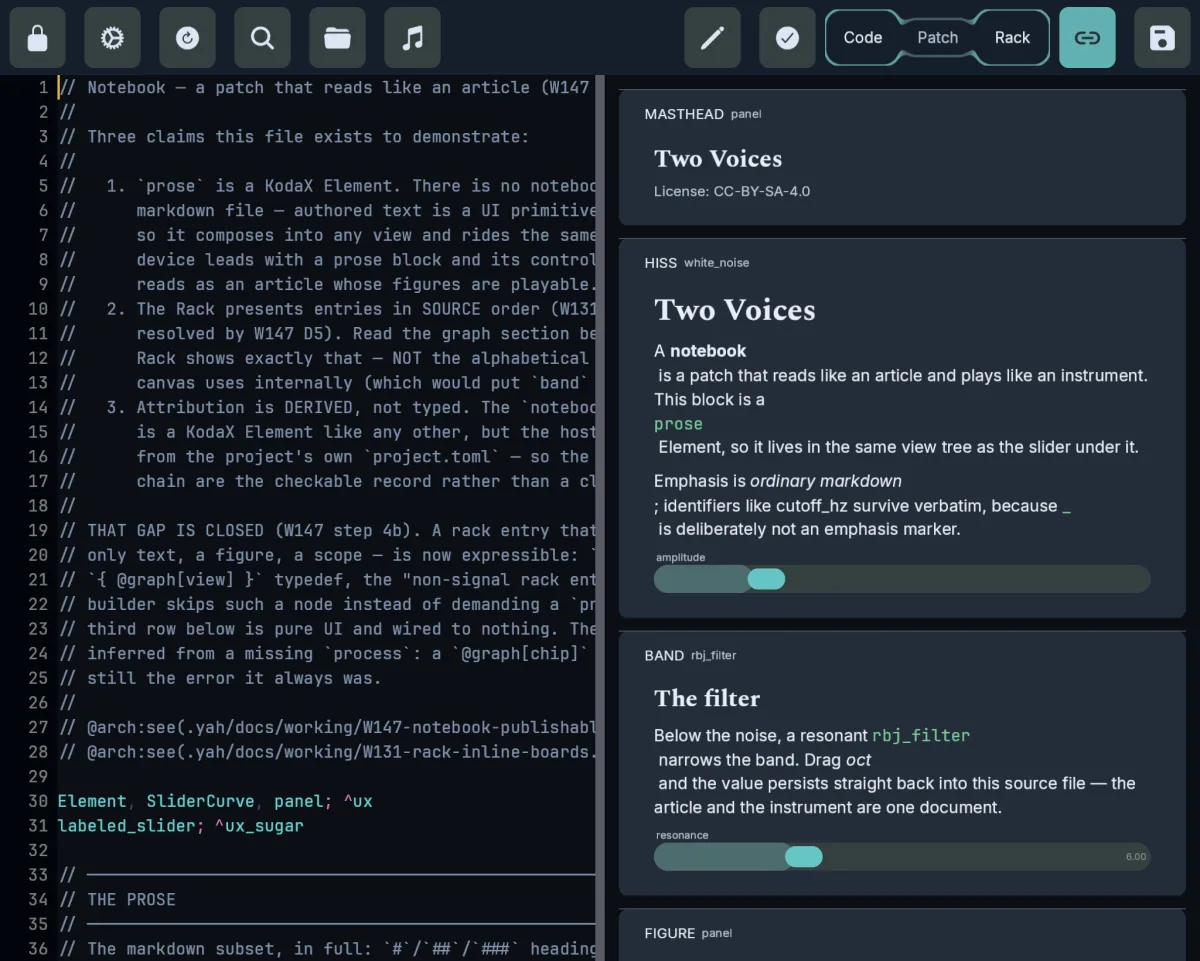
The patch below is running in this tab, played by plain HTML sliders through the web audio library.
web audio library
Put a Koda patch inside your own web page: the library runs it in the tab, and your page's own controls play it.
Some patches do not compile for the browser yet, and the hosting page needs cross-origin isolation headers to play. The library draws no KodaX, so a notebook's prose and faceplates need the full app.
noise; `white_noise
  seed; 0xCAFE
  amplitude; 0.12

// the sweep IS the cutoff — this chip's output is wired straight to the filter.
// offset: centre, in 1 V/Oct (3.42 = 700 Hz).  amplitude: depth, in octaves.
// frequency: rate, in Hz.
sweep; `cv
  shape; 'sine
  frequency; 0.2
  amplitude; 1.5
  offset; 3.42

filter; `rbj_filter
  mode; 'lowpass
  oct; sweep
  q; 2.5
  in; noise

output @out; `mix
  ; 0.7, filter
patch
A patch is text and a graph at once: drag a wire between two chips and the Koda text changes to match, and the other way round.
Only the desktop build is checked; the browser draws the graph but dragging is untested, and the graph cannot yet be edited on a phone or inside the VST3 plugin.
Colour is doing work here, not decoration. The wire colours are categorical — audio, control voltage, relay — and never borrow from the ramp, which is reserved for magnitude: fader position, meter fill, the XY field.
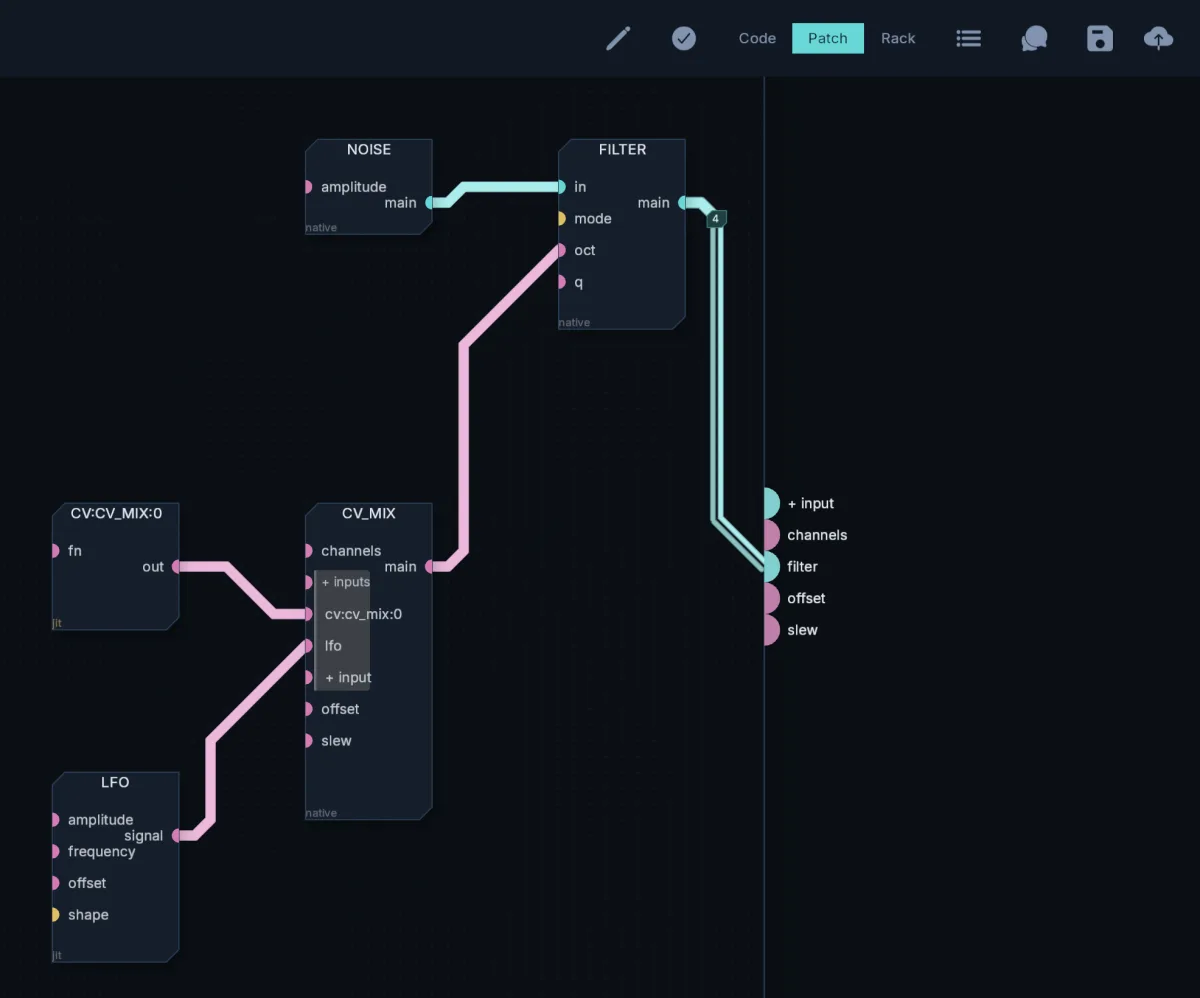
Every chip has a page of its own: the pins, the parameters, and what it does.